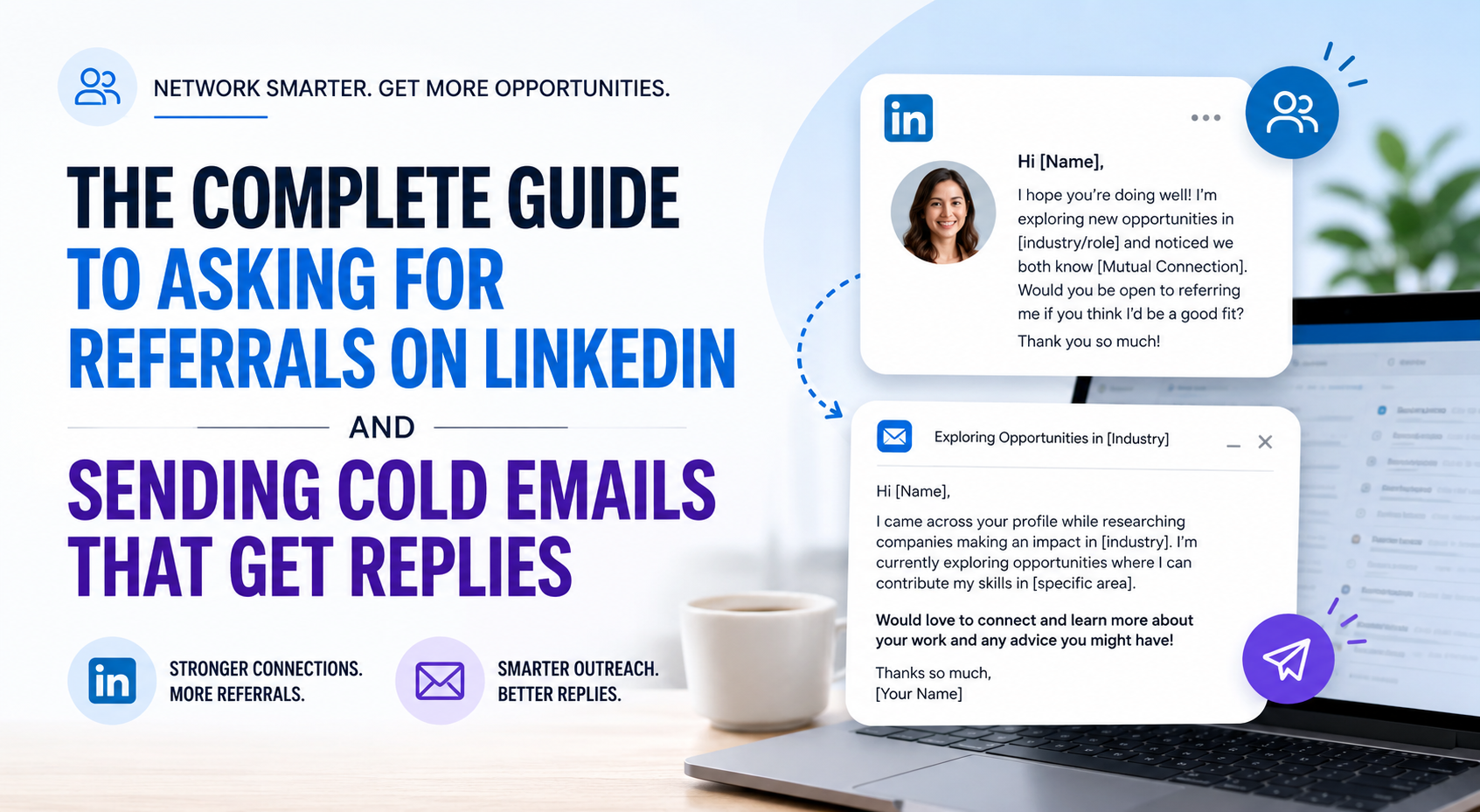
The Complete Guide to Asking for Referrals on LinkedIn and Sending Cold Emails That Get Replies
If you’ve been applying to jobs through the “Easy Apply” button and hearing nothing back, you’re not alone. The average corporate job posting attracts hundreds of applicants, and most resumes never make it past the applicant tracking system. The single most effective way to break through that wall is a referral, and the second most effective is a well-crafted cold email to someone who actually has hiring power.
This guide walks you through both, end to end. No fluff, no generic templates that everyone else is already using. Just the exact process I’ve seen work for engineers, designers, marketers, analysts, and anyone else trying to get noticed.
Before you start: Your resume is the one thing every person you contact will eventually open. If yours isn’t ATS-friendly and clean, every conversation below stalls at the same spot. Grab a free template here before you send the first message: Free ATS-Friendly Resume Templates (Google Docs & Word).
Why Referrals Matter More Than Your Resume
Before we get into the how, let’s quickly understand the why. Referred candidates are significantly more likely to get interviewed, more likely to get hired, and tend to stay at companies longer. From the company’s side, a referral is essentially a pre-vetted candidate, someone an existing employee was willing to attach their name to.
For you as a job seeker, a referral does three things that an open application can’t:
It moves your resume from the general pile to a “review this one” stack. It signals trust before the recruiter has even read your name. And it often comes with a small internal nudge, a Slack message, a forwarded email, that keeps your application from being forgotten.
The good news: you don’t need to know anyone at the company to get a referral. You just need to know how to find the right people and ask the right way.
Part 1: Finding the Right People on LinkedIn
Step 1: Go to the company’s LinkedIn page
Start by searching for the company you want to work at on LinkedIn. Type the company name into the search bar and click on the official company page (it’ll have a verified-looking logo and a follower count).
Not sure which companies to target? If you’re looking specifically at the Indian startup ecosystem (high growth, faster hiring loops, founders who often read their own email), here’s a curated list to start from: Indian Startups List. Pick 10–15 names from here for your first batch.
Step 2: Click on the “People” or “Employees” section
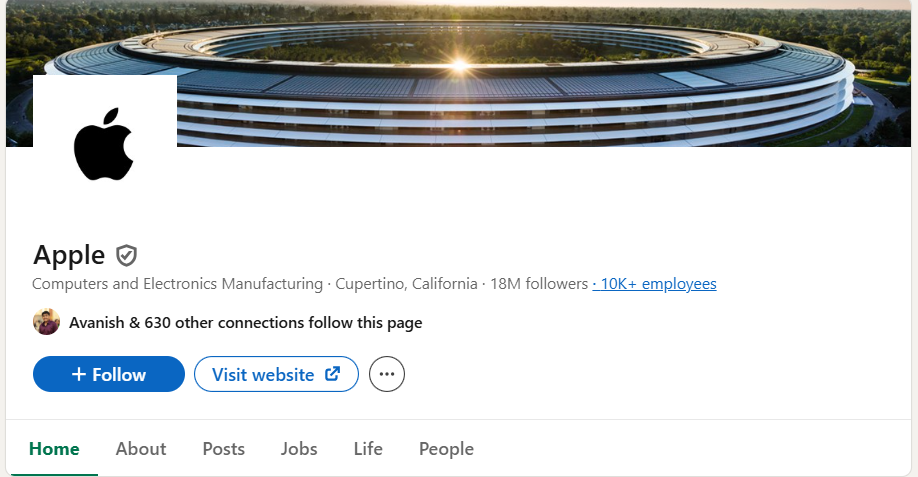
This is the move most job seekers miss. On every company’s LinkedIn page, there’s a section called People (sometimes shown as “See all employees on LinkedIn” or simply the employee count link near the top of the page). Click it.
You’ll now see a searchable, filterable list of every employee on LinkedIn who lists this company as their employer. This is gold. You can filter by:
- Job title, e.g., “Software Engineer,” “Product Manager,” “Recruiter”
- Location, useful if you’re targeting a specific office
- School, find people who went to the same university as you (this is one of the strongest warm connections you can make)
- Current company / Past company, find people who used to work where you currently work
- Keywords, search for specific teams, technologies, or skills
Step 3: Build your target list
Don’t just message one person and wait. Build a list of 8–15 people at the company, sorted into three buckets:
Bucket 1, People on the team you want to join. A frontend engineer should look for other frontend engineers, tech leads, or engineering managers on the team. These people can give you a direct referral and often have the strongest sway with the hiring manager.
Bucket 2, Recruiters and HR. Search the People page with terms like “Recruiter,” “Talent Acquisition,” “Technical Recruiter,” “HR,” or “People Operations.” Recruiters are literally paid to find candidates, they are almost always willing to talk if you reach out professionally.
Bucket 3, Warm connections. Anyone you share something with: same college, same hometown, a mutual connection, or a previous shared employer. These are your highest-conversion targets.
Step 4: Find their email (for cold emailing later)
LinkedIn messages work, but cold emails often work better, they sit in an inbox and don’t get lost in the LinkedIn notification noise. To find someone’s work email:
- Most companies use predictable email formats:
firstname.lastname@company.com,firstname@company.com, orflastname@company.com. Look at the company’s website “Contact” or “Press” page to figure out the format. - Free tools like Hunter.io, RocketReach, Apollo.io, and Skrapp.io offer a few free email lookups per month.
- For startups, founders’ emails are often public on Twitter/X bios, Crunchbase, or their personal website.
Always verify before sending, a tool like NeverBounce or MailTester will tell you if an email actually exists.
Part 2: How to Ask for a Referral on LinkedIn
Now the part most people get wrong: the message itself.
The three rules of referral messages
Rule 1: Don’t ask for a referral in your first message. Asking a stranger for a favor in the first sentence is the fastest way to get ignored. Your first message should be a connection request with a short, genuine note, not a pitch.
Rule 2: Make it absurdly easy to say yes. People are busy. The easier you make it for them, by attaching your resume, the job link, and a 2-line summary of why you’re a fit, the higher your response rate.
Rule 3: Be specific, be short, be respectful of their time. No one wants to read a 400-word essay from a stranger.
Template 1: The Connection Request (no premium needed)
LinkedIn lets you add a short note to a connection request. Use it.
Hi [Name], I came across your profile while researching [Company], I really admire the work your team is doing on [specific product/project]. I’m exploring opportunities in [your field] and would love to connect and learn from your experience. No pressure to chat, just thought it’d be great to be in your network.
That’s it. Don’t mention referrals yet. The goal of this message is just to get the connection accepted.
Template 2: The Follow-up Once They Accept
Wait a day or two after they accept, then send this:
Hi [Name], thanks so much for connecting! I’ll keep this brief, I noticed [Company] is hiring for a [Role Title] (here’s the link: [URL]), and after reading the JD I genuinely think my background in [your relevant experience, 1 line] is a strong fit. Would you be open to referring me, or pointing me to the right person on the team? I’ve attached my resume in case it’s helpful. Totally understand if it’s not the right time, really appreciate you considering it either way.
Why this works: you’ve named the role, linked the JD (so they don’t have to search), summarized your fit in one sentence, given them an alternative (“pointing me to the right person”), and given them an out. It takes them 30 seconds to forward this to the recruiter.
Template 3: The Alumni / Shared Connection Variant
If you share a school, hometown, or past employer, lead with it:
Hi [Name], fellow [University] alum here ([your graduation year])! I’m currently a [your role] at [your company], and I’ve been following [their company]’s work in [area]. I’m exploring a move and noticed the [Role Title] opening, would you be open to a quick referral, or even just 10 minutes to chat about your experience there? Resume attached. Happy to make it easy whichever way works for you.
Shared context boosts response rates dramatically, sometimes 3–5x.
What to do when they say yes
Send them everything they need in one clean message:
- Your updated resume (PDF, named
FirstName_LastName_Resume.pdf). If yours needs a refresh, use one of these free ATS-friendly templates so it parses cleanly when the recruiter uploads it. - The job link and req ID
- A 2–3 sentence “why I’m a fit” blurb they can copy-paste into their internal referral form
- A thank-you line
After they submit, follow up a week later with a quick “just wanted to thank you again, let me know if there’s anything I can ever do to return the favor.” Always close the loop after the interview, whether you got the offer or not.
What to do when they ignore you
Follow up once, after about a week. Keep it short:
Hi [Name], just wanted to gently bump this in case it got buried. Totally understand if you’re swamped, no worries either way.
If they don’t respond to the follow-up, move on. Don’t take it personally. There are 14 other people on your list.
Part 3: Cold Emailing, The Underrated Job Search Superpower
Cold emailing is asking for something from someone who doesn’t know you, via email. Done badly, it’s spam. Done well, it’s the most leverage-per-minute activity in a job search.
Who to cold email
- Hiring managers for the team you want to join. They have the final say on interviews and often want to skip the recruiter pipeline.
- Founders and CEOs at small companies and startups (under ~200 people). They often read their own email. If you’re targeting Indian startups, this startup directory is a great place to build your founder hit-list.
- Recruiters at companies you’re targeting, both internal recruiters and external agency recruiters in your niche.
- People doing the exact job you want, not for a referral, but for a 15-minute informational chat. These often turn into referrals organically.
The anatomy of a cold email that gets replies
A great cold email has six parts, in this order:
1. A subject line that feels personal, not promotional. Avoid “Application for [Role]”, it screams mass-send. Try:
- “Quick question from a [your role] who loves [their product]”
- “[Mutual connection’s name] suggested I reach out”
- “Frontend engineer interested in [Company]’s [specific project]”
- “10 minutes of your time?”
2. A first line that proves you did your homework. Reference something specific, a podcast they were on, a blog post they wrote, a recent product launch, a tweet. This is the single biggest factor in whether the email gets read past line one.
3. A one-sentence summary of who you are. “I’m a [role] with [X years] of experience at [Company/in industry], currently focused on [specialty].”
4. A one-sentence “why you / why now.” What’s the specific thing about them, their team, their company, their problem, that made you reach out? Generic admiration (“I love your company!”) doesn’t count.
5. A clear, low-friction ask. Not “do you have a job for me.” Try: “Would you be open to a 15-minute call next week?” or “Would it be okay if I sent over my resume for the [Role] opening?”
6. A polite, no-pressure closer. “Totally understand if you’re swamped. Either way, appreciate the work you’re doing.” Then your name and a LinkedIn link.
A full cold email example
Subject: Backend engineer interested in your team’s work on payments infra
Hi Priya,
I listened to your talk at IndiaFOSS last month on scaling Razorpay’s payments stack, the part on idempotency keys in distributed retries was the clearest explanation I’ve heard. It’s stayed with me.
I’m a backend engineer with 4 years of experience at [Current Company], working primarily on payment integrations and high-throughput Go services. I noticed you’re hiring for a Senior Backend Engineer on the Payments team, and the role looks like a strong match for what I’ve been doing.
Would you be open to a 15-minute call sometime next week, or, if it’s easier, would it be okay if I sent over my resume directly for that role? I’ve attached it here either way.
Totally understand if you’re swamped. Either way, thanks for the talk, it sent me down a great rabbit hole.
Best, Arjun Mehta [LinkedIn URL]
This email works because it: references something specific, takes 30 seconds to read, proves the sender’s credibility in one line, makes a small ask with a fallback ask, and respects the reader’s time.
Cold email best practices
Send between Tuesday and Thursday, between 8–10 AM in their timezone. This is when inboxes are most actively read. Avoid Mondays (inbox overload) and Fridays (mental checkout).
Keep it under 150 words. Long cold emails get deleted. If you can’t say it in 150 words, you don’t know what you want yet.
Always attach your resume as a PDF, even if you don’t mention it. It gives them the option to act immediately. Pro tip: name the file FirstName_LastName_Resume.pdf, not final_resume_v7.pdf.
Follow up, twice. Most replies come from the 2nd or 3rd email. Wait 4–5 business days between sends, and keep follow-ups short (“Hi [Name], gently bumping this, totally understand if it’s not the right time”). After the third email with no reply, stop.
Track everything. Use a simple spreadsheet with columns: Company, Name, Role, Email, Date Sent, Follow-up 1, Follow-up 2, Response, Notes. After a few weeks, you’ll start to see which subject lines, openers, and asks work best for your niche.
Cold email mistakes that kill your reply rate
- Starting with “I hope this email finds you well.” Delete it. It signals “stranger writing a form email.”
- Listing every job you’ve ever had. They’ll read your resume if they’re interested.
- Asking for “any opportunity” or “any open role.” Be specific or be ignored.
- Sending the same email to 50 people with [FirstName] still in it. (Yes, this still happens.)
- Begging. “I really, really need a job, please help me.” Even if it’s true, it’s not persuasive, it makes the reader uncomfortable. Confident, specific, and respectful always wins.
Part 4: Putting It All Together, A Two-Week Action Plan
Here’s how to actually do this, not just read about it.
Week 0 (prep): Get your resume right. Pick one of the free ATS-friendly templates, fill it in, and export as PDF. Then build your target company list, the Indian Startups List is a fast way to find 10–15 names if you’re starting from scratch.
Week 1, Days 1–2: Pick 10 target companies. For each, visit the LinkedIn page → click the People/Employees section → identify 1 hiring manager, 1 recruiter, and 2 potential referrers. That’s 40 contacts.
Week 1, Days 3–5: Find emails for each contact using Hunter.io or by guessing the format and verifying. Send connection requests on LinkedIn to all 40 with personalized notes.
Week 1, Days 6–7: Send 10 cold emails to hiring managers and recruiters. Track them in a spreadsheet.
Week 2, Day 1: Send referral-ask follow-ups to anyone who accepted your LinkedIn connection.
Week 2, Days 2–4: Send the second cold email follow-up to anyone who didn’t reply.
Week 2, Days 5–7: Review your spreadsheet. Which messages got replies? Which got ignored? Adjust your templates and start the next batch of 10 companies.
Two batches in, you’ll have contacted 80 people across 20 companies, and statistically, you’ll have several conversations going. That’s how job searches actually move forward.
Resources
Everything you need to run this playbook, in one place:
- Free ATS-friendly resume templates (Google Docs & Word): https://www.lets-code.co.in/blogs/free-ats-friendly-resume-templates-google-docs-word-format/. Use one of these before you send a single message. A resume that breaks in an ATS parser will undo every referral you work for.
- Indian Startups List (target company directory): https://www.lets-code.co.in/startups-list/. Great starting point for building your batch of 10 companies, especially if you’re open to startup roles where founders read their own email.
- Email-finding tools: Hunter.io, RocketReach, Apollo.io, Skrapp.io (all have free tiers).
- Email verification: NeverBounce, MailTester.
At Last!
The job market rewards people who do the uncomfortable thing: reaching out to strangers, asking for help, and following up when ignored. It feels weird the first ten times. It stops feeling weird around the eleventh.
The people you’re emailing were once in your shoes. Many of them got their current job through a referral or a cold email of their own. Most are happy to help when asked respectfully, they just won’t go out of their way to find you.
So go find them. Open the LinkedIn page of the company you want to work at, click on the employee list, and start your list. Your next job is one well-crafted message away.
Found this useful? Save it, share it with a friend who’s job-hunting, and come back to it the next time you’re staring at an Easy Apply button wondering if there’s a better way. There is.
Join the community for more resources – WhatsApp channel
Lets Code
Contributing Writer